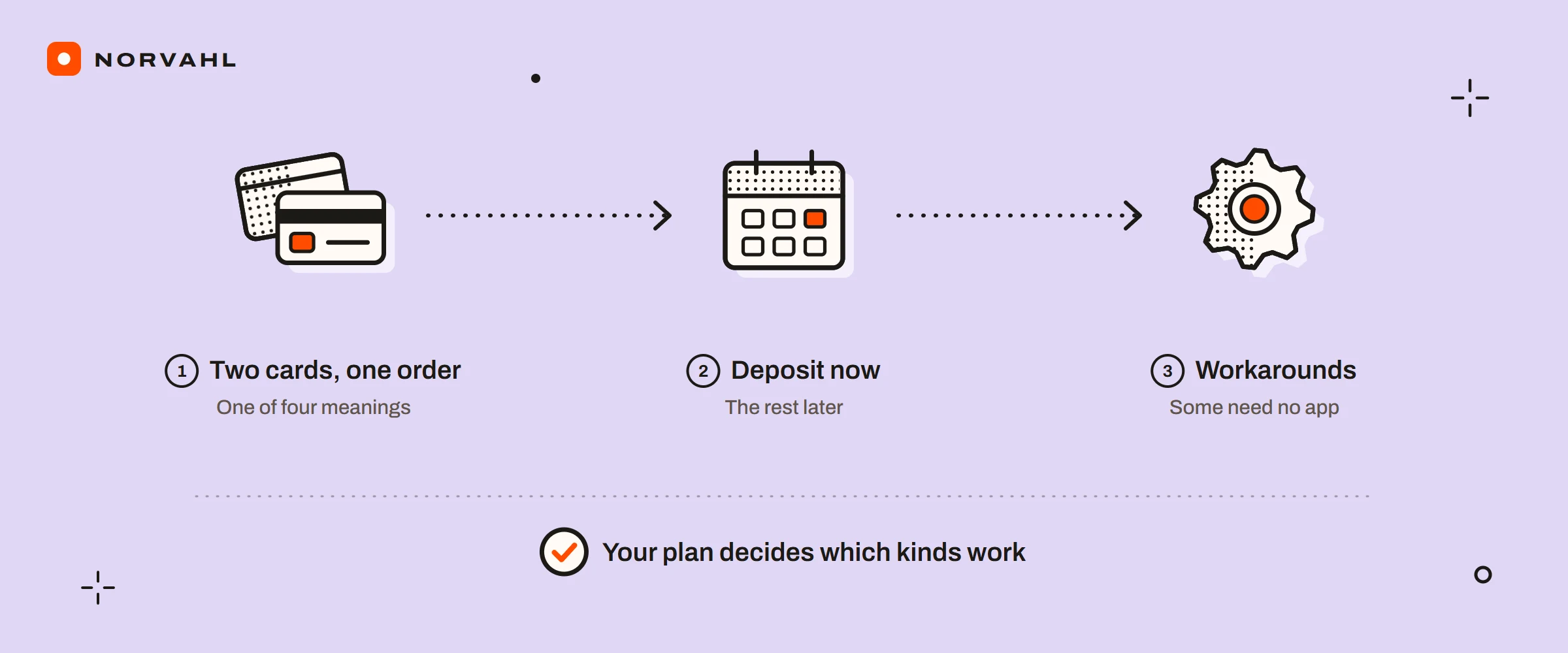
Shopify split payments can mean four different jobs, and Shopify's answer depends on the job and on your plan. A customer wants to put one online order on two cards. A shop wants to split a bill at the counter. A business wants a deposit now and the rest later. Or a marketplace wants one payment shared between vendors.
This is what works for each, as Shopify's help pages and changelog stood on 15 September 2026:
| What you need | What works | Plan or condition |
|---|---|---|
| A gift card and a card on one online order | Normal checkout, nothing to set up | Any plan |
| Two credit cards on one online order | Two draft orders paid separately, or an app | Any plan |
| A split bill at the counter | Split payment in Shopify POS | Shopify POS |
| A deposit in store, the rest at pickup | Mark as partially paid in POS, then Collect payment | Not in some EU locations |
| A deposit online | Partial payments on draft orders, or B2B deposits at checkout | Shopify Plus only |
| A deposit online, below Plus | A deposit or pre-order app, or two draft order invoices | App prices below |
| The customer pays over time, and you are paid now | Shop Pay Installments | Stores in the US, Canada and UK |
| A supplier paid their share automatically | Shopify Collective | Shopify Payments in the same country and currency |
Can a customer pay with two credit cards on Shopify?#
Not at Shopify's online checkout. I could not find a Shopify help page that offers it. When a merchant asked in Shopify's community in February 2023, the answer from Shopify staff, marked as the solution, was that it was not possible.
Gift cards are the exception. Shopify's gift card page says a customer can use several gift cards on one order. When a gift card does not cover the total, checkout asks for another payment method for the rest, such as a credit card. The same happens if the total changes after the gift card is applied. A gift card cannot buy another gift card, and on a subscription it only covers the first payment.
For two cards, the staff answer was two draft orders. Create both from Orders, then Drafts, split what is being bought between them, and note each order's number on the other so the pair stays together in your records. Send each invoice, and the customer pays one with each card. It works on any plan, and the cost is your time and two orders in your reports.
An app can do it at checkout instead. The listing for SPD Split Payment & Deposit says customers can pay with two credit cards, or a card and PayPal. It does not explain how the second payment is taken, so try it on a development store before you promise it to customers.
How to split a payment in Shopify POS#
At the counter, splitting is built in. Shopify's POS payments page gives the steps:
- On the Select payments screen, tap Split payment.
- Choose the first payment method, enter the amount the customer is paying, and complete the payment.
- Do the same for the next method until the order is paid, then tap Next and Done.
To take a deposit instead, tap Split payment, take the first amount, then tap Mark as partially paid and confirm with Mark as partial. When the customer comes back, open the order, tap Collect payment, enter the amount and method, and complete it.
Three rules on that page matter before you rely on it:
- Some retail locations in the EU, such as France, Italy and Spain, cannot mark a sale partially paid or unpaid at checkout.
- A checkout that contains a gift card product must be paid in full.
- Refunding or exchanging an item on an order that is being paid in parts, or editing that order, blocks any further payments on it.
If your staff learned the old screens, POS 11.0 simplified the split payment flow in February 2026. Since May 2025, the controls for split payments and partially paid orders are also set centrally, in the POS channel under Payments.
POS takes the money in parts, but it does not hold stock for a layaway or expire one. A Shopify Community thread from June 2025 found no layaway built in, and apps fill that gap. One of them, Layaway: Reserve & Deposit, reserves stock from the POS cart, takes an optional deposit, and puts the stock back when a hold expires. It launched on 12 May 2026 and had no reviews by 15 September.
Shopify partial payments and deposits, by plan#
Online, the built-in version is for Shopify Plus, according to Shopify's partial payments page. On a Plus store, a draft order created with payment terms can take part of its total. Open the order, click Collect payment, and choose a fixed amount or a percentage. You can charge a card saved for a B2B customer, enter a new card, or record a manual payment such as a bank transfer, which Shopify records but does not process. The order then shows as Partially paid, and the payment appears in the customer's account.
Plus stores selling B2B can also require a deposit at checkout. Since June 2024, a percentage deposit can be set for each company location, and the balance falls due under that location's payment terms.
The plan line moved on 2 April 2026, but not for deposits. Shopify brought B2B basics to Basic, Grow and Advanced: up to 3 active B2B catalogs, company profiles, payment terms, volume pricing, ACH payments in the US and vaulted credit cards. Partial payments and deposits stayed on Plus, along with unlimited catalogs and assigning catalogs directly to companies.
Below Plus, you have three ways to take a deposit:
- In person, use POS partial payments, as above.
- Online, use a deposit or pre-order app that stores the customer's card and charges the balance later. Shopify's pre-orders page says pre-orders need an app, and only work for stores using Shopify Payments or PayPal Express.
- By hand, send two draft order invoices, one for the deposit now and one for the balance when the work is ready. It is the same trick as paying with two cards, and it suits made-to-order work with a handful of orders a month.
Shop Pay Installments is not a deposit#
Shop Pay Installments looks like paying in parts, but the money moves the other way round. The customer pays over time, and you are paid now. Shopify's installments FAQ says Affirm collects the installments, and you receive the full order amount, less the Shop Pay Installments fee, within 1 to 3 business days of capture. The guide on Shopify payout times shows where that lands in your payouts.
It has limits. Your store must be based in the United States, Canada or the United Kingdom. Orders must come to between 35 and 30,000 US or Canadian dollars, or between 50 and 30,000 pounds in the UK, and customers cannot use it for gift cards or subscription products. The FAQ says a dispute goes to Affirm, at no extra cost to you if the customer is refunded, and it does not say who carries a missed payment.
With a deposit, you hold part of the money and keep the order open. Collecting the rest is your job, through POS, an invoice, a stored card or an app.
Can Shopify split a payment between vendors?#
Not as a general feature. I could not find a Shopify help page that divides one customer payment between several people's accounts.
The exception is Shopify Collective, where a retailer sells a supplier's products. Shopify's Collective payments page says the supplier's cost price for each product sold is taken from the retailer's Shopify Payments balance. It reaches the supplier automatically once the supplier marks the order fulfilled, at no extra charge. Both stores need Shopify Payments in the same supported country and currency, and refunds or chargebacks after a payout can leave the balance short and delay what suppliers are paid.
For anything else, such as a marketplace paying several makers, the App Store has multi-vendor and payout apps. Their listings talk about working out commissions and paying vendors through PayPal or Stripe, so check how each one moves the money, and who holds it in between, before you sign up.
Deposit and split payment apps#
These are the apps that come up for split and partial payments, with their listings as they stood on 15 September 2026:
- Downpay: Partial Pay & Deposit is rated 5.0 from 92 reviews. Its plans are 29, 49, 99 and 249 dollars a month, each capped by total order value, from 5,000 to 100,000 dollars. It keeps a card on file for each order and collects the balance automatically, by hand or by invoice, and it works with Flow and with headless stores.
- Deposit & Partial Payment Depo is rated 4.5 from 99 reviews. It starts at 9 dollars a month plus a processing fee of 1 percent and 20 cents, with lower fees on its 49 and 149 dollar plans. It takes deposits at checkout, on draft orders and in POS, and charges the rest to the stored card on a set date.
- SPD Split Payment & Deposit is rated 4.8 from 143 reviews. Its plans run from 19 dollars a month for 1,000 dollars of orders to 99 dollars for 50,000. Besides deposits, its listing offers two cards or a card and PayPal on one order, and a payment sent by email that several people can pay.
Whichever you pick, run a test order through the whole flow, from deposit to balance to a refund, before real customers see it. The Shopify Payments guide covers the processing fees that sit underneath each of these.
Questions people ask
Can customers split a payment between two credit cards on Shopify?
Not at Shopify's online checkout. A customer can combine several gift cards, or a gift card and another payment method, but not two credit cards. The workarounds are two draft orders paid separately, an app that offers it, or Shopify POS for in-person sales.
Does Shopify allow partial payments?
In Shopify POS, staff can mark an order partially paid and collect the rest later. In the admin, partial payments on draft orders with payment terms, and B2B deposits, are for Shopify Plus stores only, and they stayed Plus only when other B2B features reached Basic, Grow and Advanced on 2 April 2026.
How do I take a deposit on Shopify without Plus?
In person, use Shopify POS partial payments. Online, use a deposit or pre-order app that stores the card and charges the balance later, or send two draft order invoices, one for the deposit and one for the balance. Pre-orders need Shopify Payments or PayPal Express.
Is Shop Pay Installments the same as a split payment?
No. With Shop Pay Installments the customer pays Affirm over time, and the store receives the full order amount, less a fee, within 1 to 3 business days of capture. It is only for stores based in the United States, Canada and the United Kingdom.
Can Shopify split one payment between vendors?
Not in general. Shopify Collective moves a supplier's cost price from the retailer's Shopify Payments balance to the supplier automatically once the order is fulfilled. Other vendor splits need a payout app.
Sources
- Redeeming and using gift cards, Shopify Help Center
- Multiple and partial payments on Shopify POS, Shopify Help Center
- Collecting and recording partial payments, Shopify Help Center
- Key B2B features now available on non-Plus plans, Shopify Changelog
- Collect deposits at checkout, Shopify Changelog
- Pre-orders, Shopify Help Center
- Shop Pay Installments FAQ, Shopify Help Center
- Paying your suppliers in the Shopify Collective app, Shopify Help Center